Idleon Toolbox
Power up your Legends of Idleon adventure with Idleon Toolbox's essential tools and resources for optimizing gameplay, character builds, crafting, and more.


IT Patch Notes
More patch notesFixes
- Guild History: a guild page keeps its own title instead of switching back to the generic one
- Login: email and Apple sign-ins are tracked correctly, and closing the login dialog cancels a Google sign-in in progress
- Login: the numpad Enter key submits the email form, and password managers can fill it
- Pinned pages: unpinning a page no longer removes other pins
- Hole, Royal Armory and Highscores: descriptions no longer show raw @, $ or } symbols
- Worship: the Spelunking POW and Research EXP totalizer stats show icons
- Summoning: the Total bonus of Red Essence Ragin', Teal Tirade, Teal Knowledge, Sharpened Spikes and Cost Laundering now matches the game
- Summoning: army damage now counts Unit Obliteration
Fixes
- Dungeons: RNG item upgrade costs now match each item rarity
- Summoning: the Familiar upgrade shows when its cost resets instead of a | symbol
- Spelunking: Min-Maxed Nova Blasts names your best tool and its damage, and the Manic upgrades show your Manic Depths
- Equinox: Equinox Dreams no longer shows a level above its max
- Dashboard: clicking an Etc timer keeps the demo or profile you are viewing
- Traps: characters without a trap box no longer show a broken image
Idleon Toolbox in Discord
Look up items, monsters and talents, find the top class builds, and check player and guild rankings without leaving Discord.

Idleon Toolbox
APP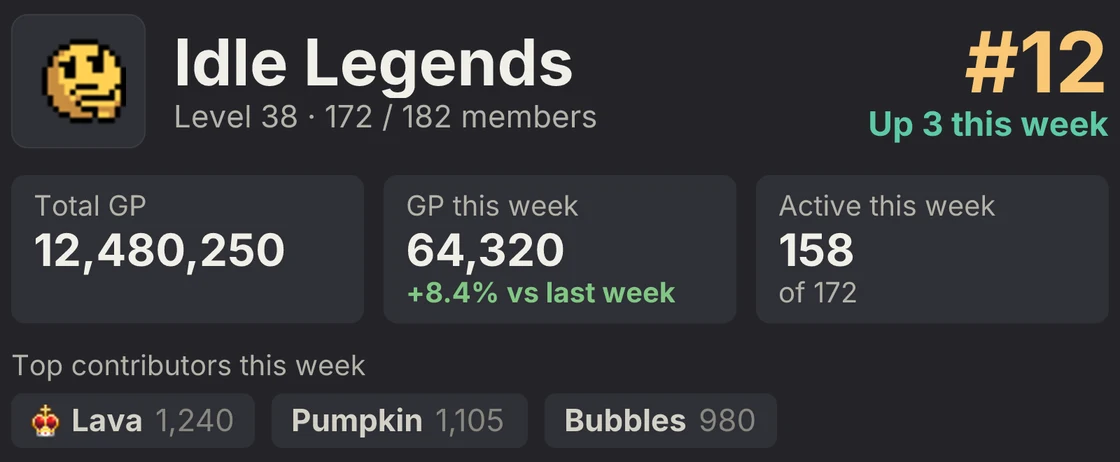
idleontoolbox.com
Frequently Asked Questions
Idleon Toolbox is a comprehensive set of tools and resources designed to help Legends of Idleon players optimize their gameplay, character builds, crafting strategies, and more.
Yes, Idleon Toolbox is completely free to use for all Legends of Idleon players.
Click Login and sign in with the same credentials as your Idleon account - email, Google, Apple, or Steam. Your save data is parsed automatically so every tool shows your own information.
Yes. Login uses Firebase Authentication directly from your browser to Google, the same auth Legends of Idleon itself uses. Your password is never sent to or stored by Idleon Toolbox. The site is open source so you can verify this yourself. Sharing a public profile or appearing on leaderboards is opt-in from the Settings page.
No. Card Search, Builds, Item Browser and Item Planner work without logging in, along with the Guilds, Statistics and Leaderboards pages. Logging in adds your dashboard, character pages and the tools that need your save data.